Siri not working / cancels out right after starting

-

I had the same issue. I repaired my phone and it seems to have fixed the issue. The 50S seems to have a lot of issues. I get a chronic "Intercom failed, try again later" message when I'm not even trying to access the intercom. I think Sena is having it's customers do their user acceptance testing. Not impressed
0 -

Did you ever get this figured out? Mine is doing the same thing....its a 50R.
0 -
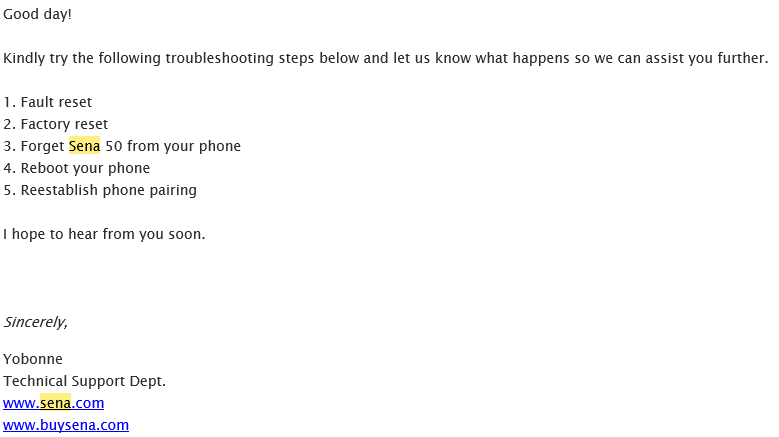
Yes I did. The helpdesk sent me this and it fixed the issue. You can find this instructions to dpo a fault and factory reset in the manual or online. Hope this works for you -
 0
0 -

I figured out what was going on with my new Sena 50s. I was having the same problem - I would say "Hey Siri" and would get the 2 beeps for it coming on, then the two beeps for it going off. My helmet required the wire mic so I had changed it out. At first I thought it was the mic connection but when I took the whole thing apart I realized the unit itself (not the mounting bracket) was too tight against the helmet (HJC CL-17). I moved the mounting bracket down just a little bit and made sure the mic was secured properly. That seemed to help but then the problem started again. Then I realized what was really going on. I was not on my motorcycle and the phone was on the desk right in front of me. As soon as I moved the phone farther away and could speak just into the mic of the Sena unit it started working fine. So either it was the better mounting position or the proximity to the phone, but now it's working correctly. Good thing, because I was really close to sending it back!
0 -

The reset thing did not work for me. I used the button mic and have a iPhone 12 Pro Max. Siri stills malfunctions most of the time. occasionally she will work properly, but only about 1 out of 10 times. This is not good enough, please fix this. Thanks
0 -

I experience the same issue. I performed the fault and factory reset, no joy. Please fix!
0 -

I had this issue and almost solved with:
- Factory reset sena
- forget bluetooth on phone
- switch off Siri on iphone (Settings>Siri & Search) slide off for Listen for and press side button.
- reconnect bluetooth
- Re-enable both Siri button and listen
Found that I can say "hey Siri" and it works. button still not working, just get the siri double beep...
------ UPDATE ---------
So the next day, recharged Sena overnight. Then started turning settings on and off on the phone including: (final settings I use)
Settings>Accessibility> Siri:
Type to Siri (off)
Spoken Responses (When silent off)
Always listen (Off)Settings>Siri & Search
Listen for Hey Siri (On)
Press side button for Siri (On)
Allow Siri when locked. (On)Not certain which of these makes a difference, but it works again for me now.
0 -

I have the same problem. I've done the factory reset, etc. With no love. Sena support has not been able to help. I only bought the 50s due to the Siri support but it's been useless.
0 -

I have a SRL-MESH and discovered that I must pause a second or two between saying "Hey Siri" and for example "Call John". There is no confirmation beep that Siri is listening but if I wait a second or two, Siri completes the command. If you look at your phone the Siri is listening swirl animation does take a second to appear and start listening for a command.
0
Please sign in to leave a comment.
Comments
9 comments