Sena 30k won't turn on

Sena 30k headset has recently been unable to power on.
- The unit has been recharged and a blue LED indicator is illuminated to indicate that the battery is fully charged
- The unit is recognised by the Sena Device Manager software.
- I have tried updating to the most recent available version (v3.2.1), this did not solve the problem
- I have tried restoring the firmware, this did not solve the problem
-

having the same issue did you find a fix?
0 -

Has anyone gotten a fix for this issue?
0 -
hey still no fix waiting for a response from sena after filling out a request what happened to yours
0 -
I found a fix!!
On the back of the 30K there is a small hole between the top two screw holes. This is the factory reset. Insert the end of a paperclip and gently press down. Try to turn your unit on again. You may have to press reset 3 or 4 times to get it to work. I reinstalled the latest firmware update.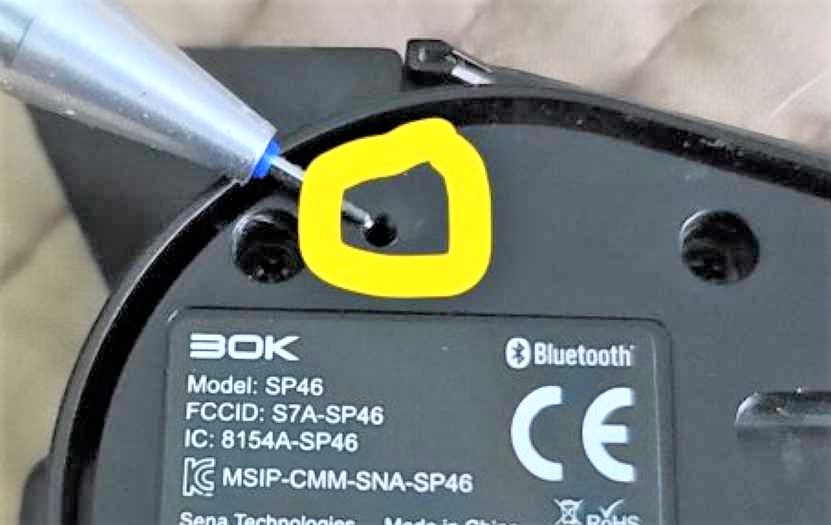 Let it charge for an hour or so then try turning it off and on again. I did this for my Nephews 30K and this completely fixed the issue. Good luck to one and all.0
Please sign in to leave a comment.
Comments
4 comments